Denoshop (Legacy Project)
Archived full-stack e-commerce project where I worked on conversational shopping interactions, real-time live chat, and browser-based video support using Node.js, Express.js, Dialogflow, Socket.IO, and WebRTC.
- Last significant update
- Sep 2020
- Status
- Archived
- Tech
- Node.js, Express.js, Socket.IO, WebRTC, Dialogflow
Overview
Denoshop is an archived full-stack e-commerce project built with Node.js and Express.js for a Full Stack Development Project module in Polytechnic. It combines a storefront experience with real-time customer interaction features. My work focused on the product’s communication layer, including a conversational shopping assistant, real-time live chat, and browser-based video support.
Although the stack and UI reflect an earlier stage of web development, I still include this project because it shows early experience building event-driven features across both customer-facing and staff-facing workflows. In particular, it gave me hands-on exposure to Express-based web application flows, Socket.IO-based real-time messaging, WebRTC signaling, and integrating an intent-based chatbot into a broader product flow.
Demo
Short walkthrough of the communication features I worked on for Denoshop: customer browses the storefront → interacts with the chatbot for shopping-related actions → escalates to live chat or video support when needed → staff responds through a centralized support workflow.
This demo focuses on the customer interaction and support features I worked on most directly, rather than the full e-commerce platform.
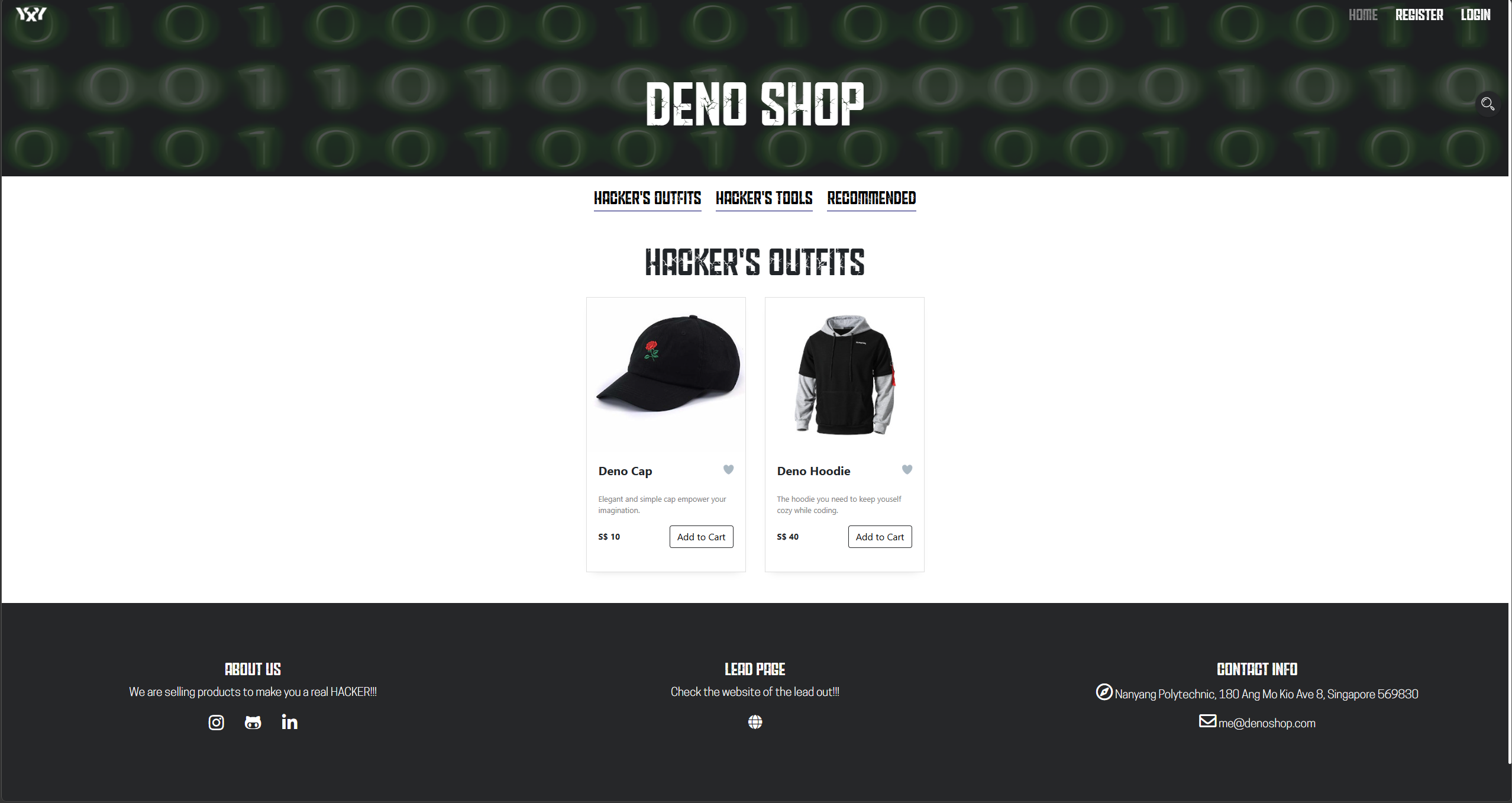
1) Storefront and customer interaction entry points
Denoshop was a full-stack e-commerce project, but my work centered on the interactive communication features layered into the shopping experience.
Users could browse the storefront as usual, then interact with different communication channels depending on what they needed, from conversational shopping assistance to live support.
2) Conversational shopping assistant
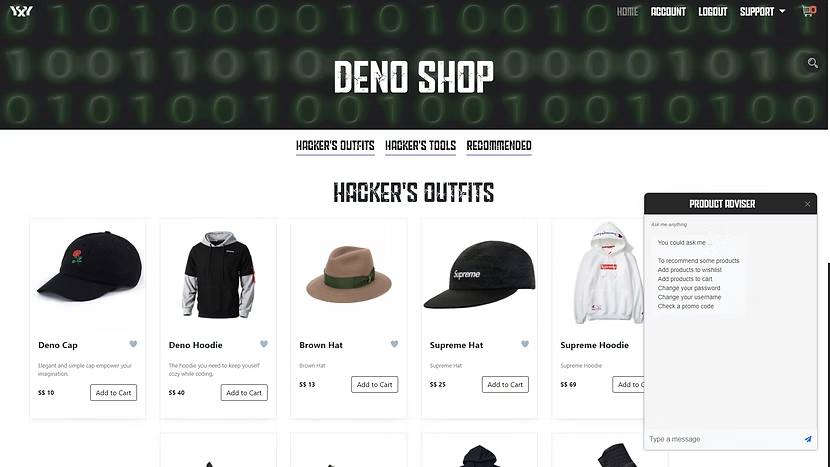
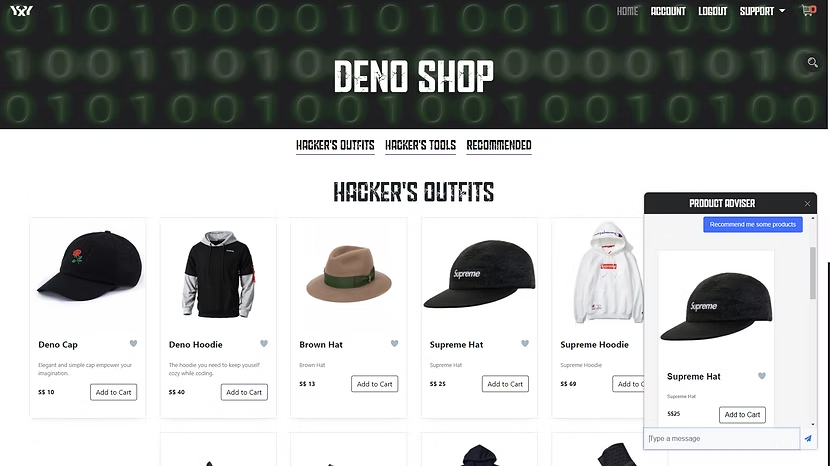
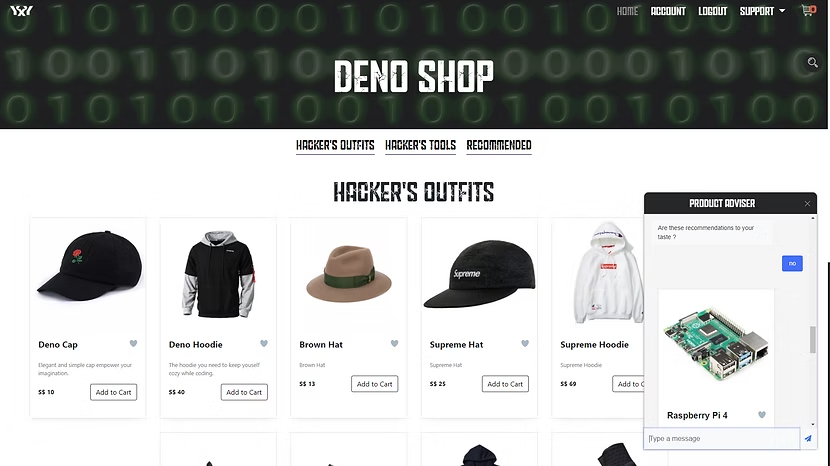
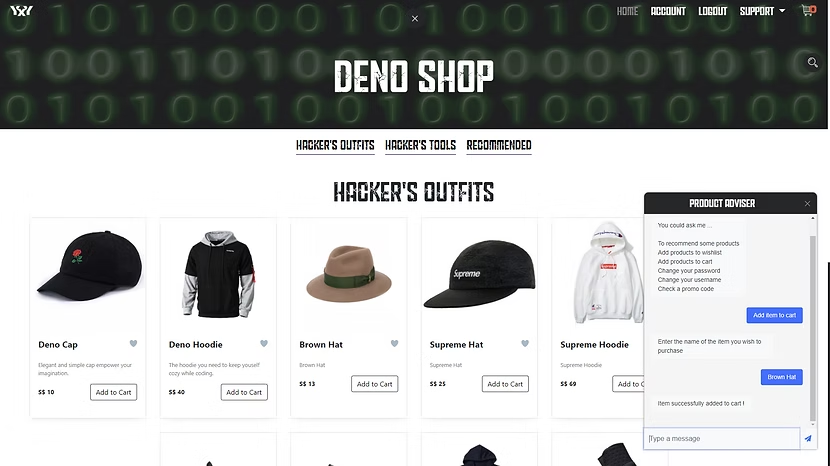
The chatbot was designed as a conversational shopping interface rather than a pure support bot. It used Dialogflow to handle structured interactions such as product recommendations and cart-related actions through an intent-based flow.
Looking back, this is not how I would design the interaction today, but it was a useful way to explore conversational product interactions at the time.
3) Real-time live chat
For cases that needed direct human involvement, users could enter a live chat session with staff. Live chat was implemented with Socket.IO and organized around room-based communication between the customer and support staff.
This allowed support requests to be handled in real time while keeping each conversation scoped to a dedicated session.
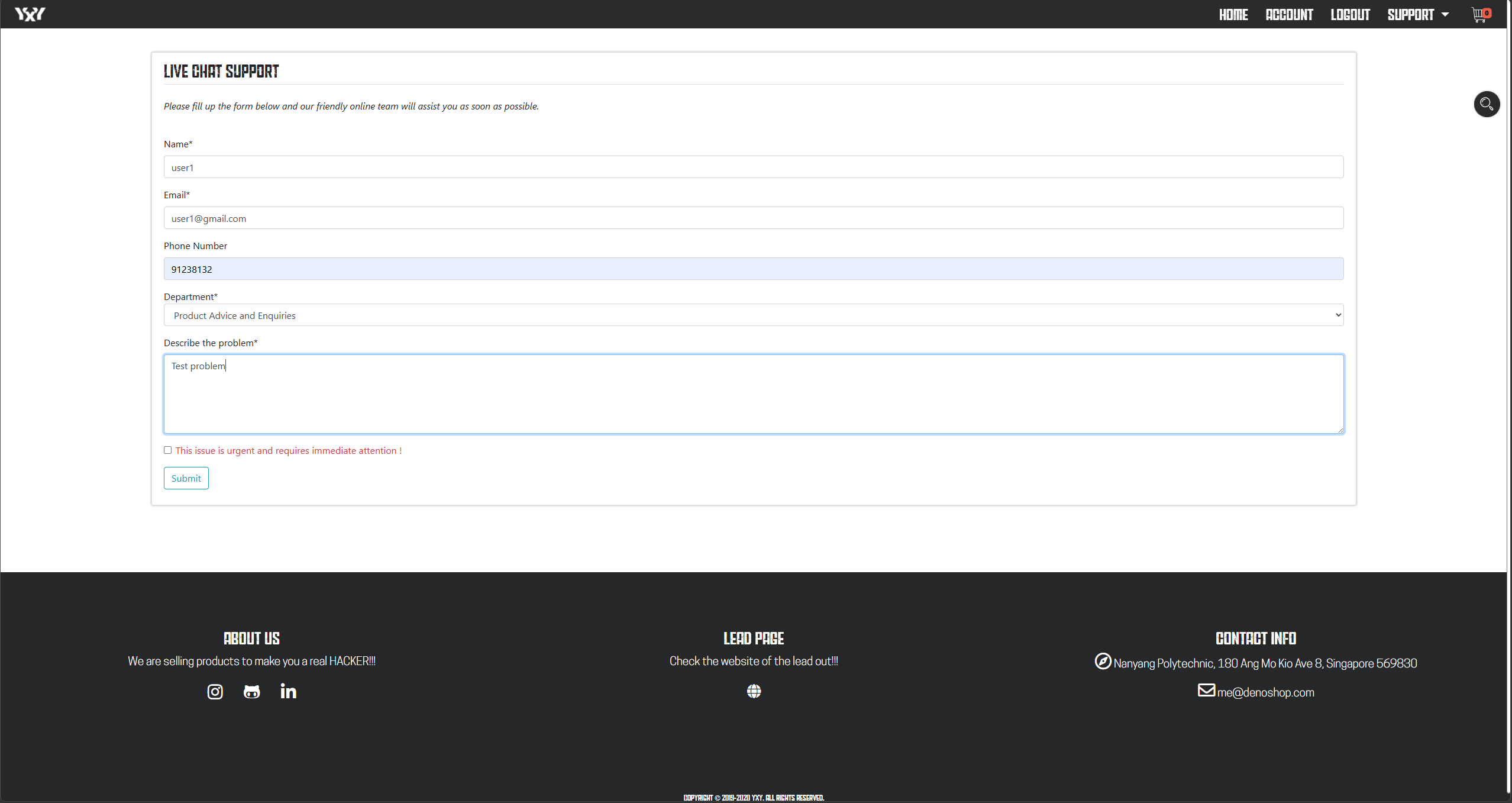
The customer starts by sending a live chat request with details about the issue.
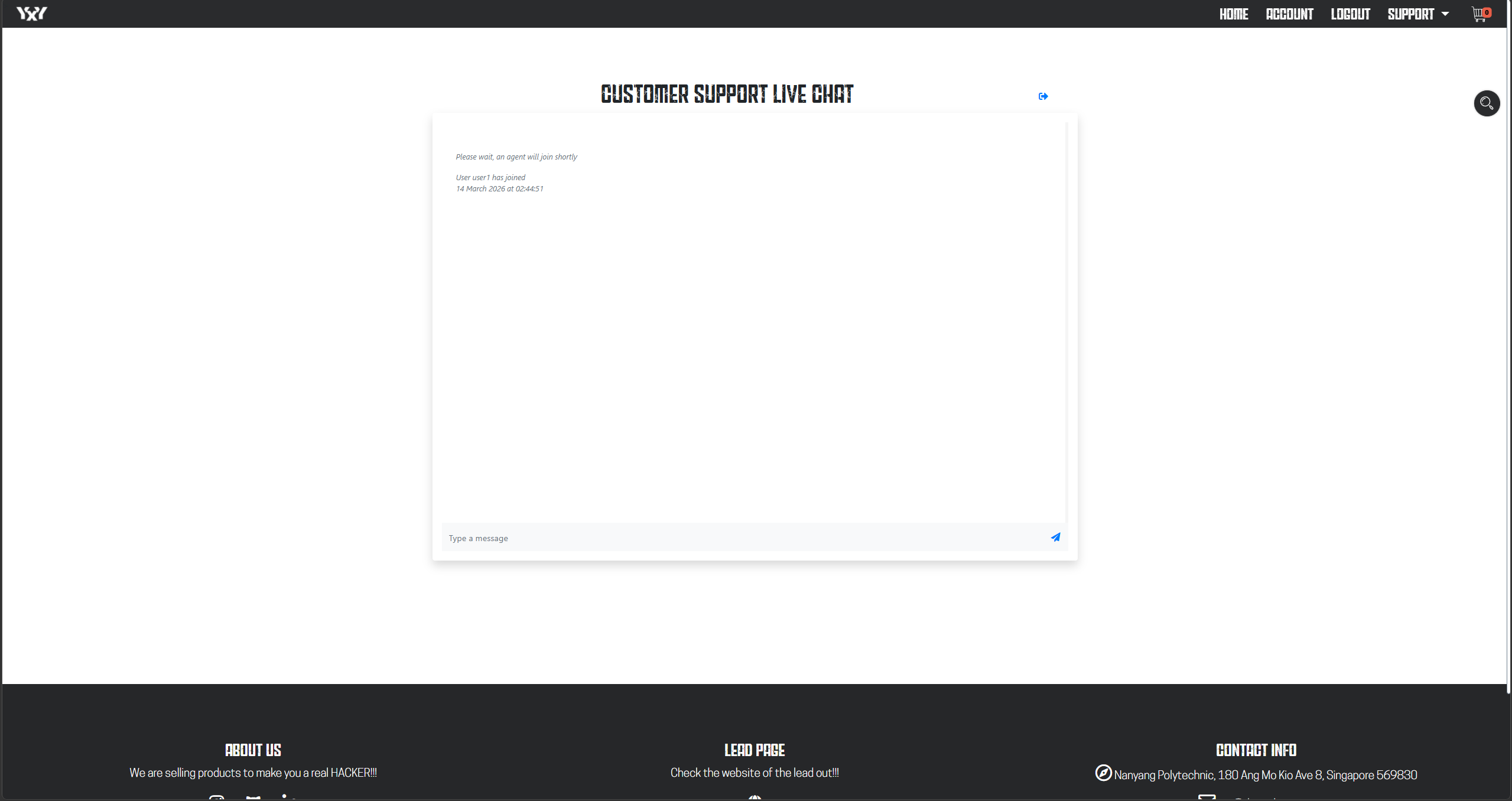
Once the support staff member joins the room, the customer and support staff can chat directly.
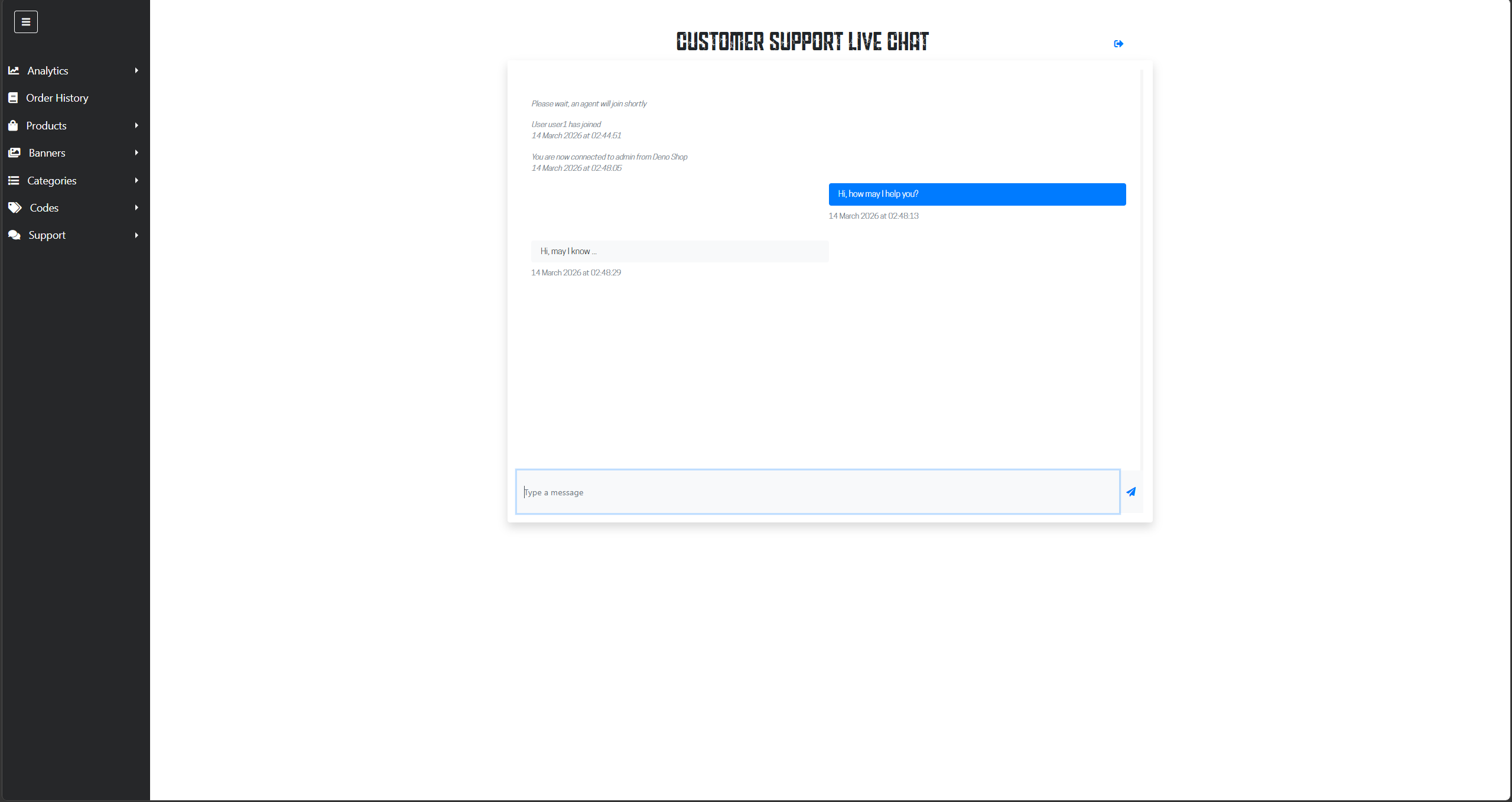
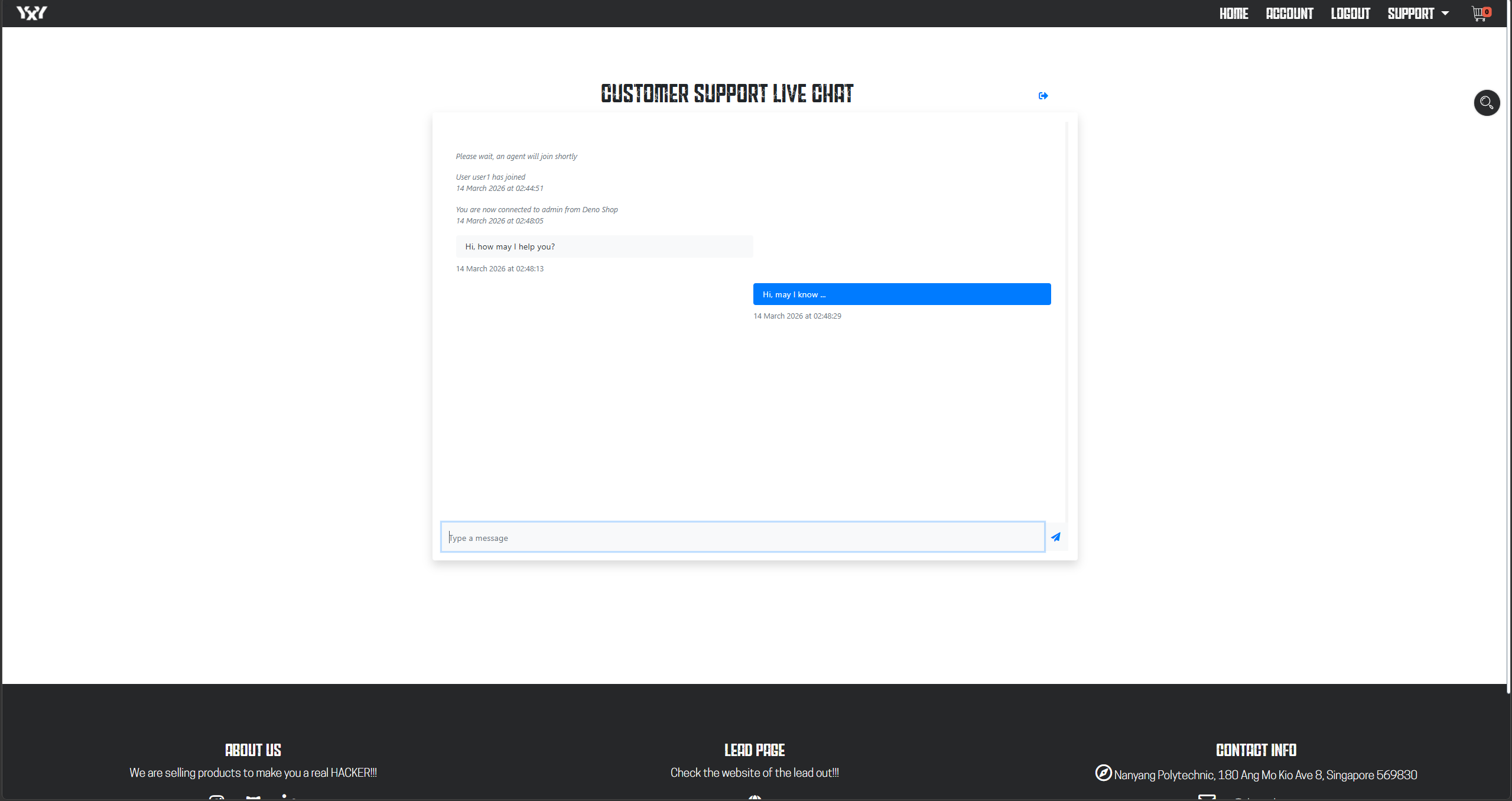
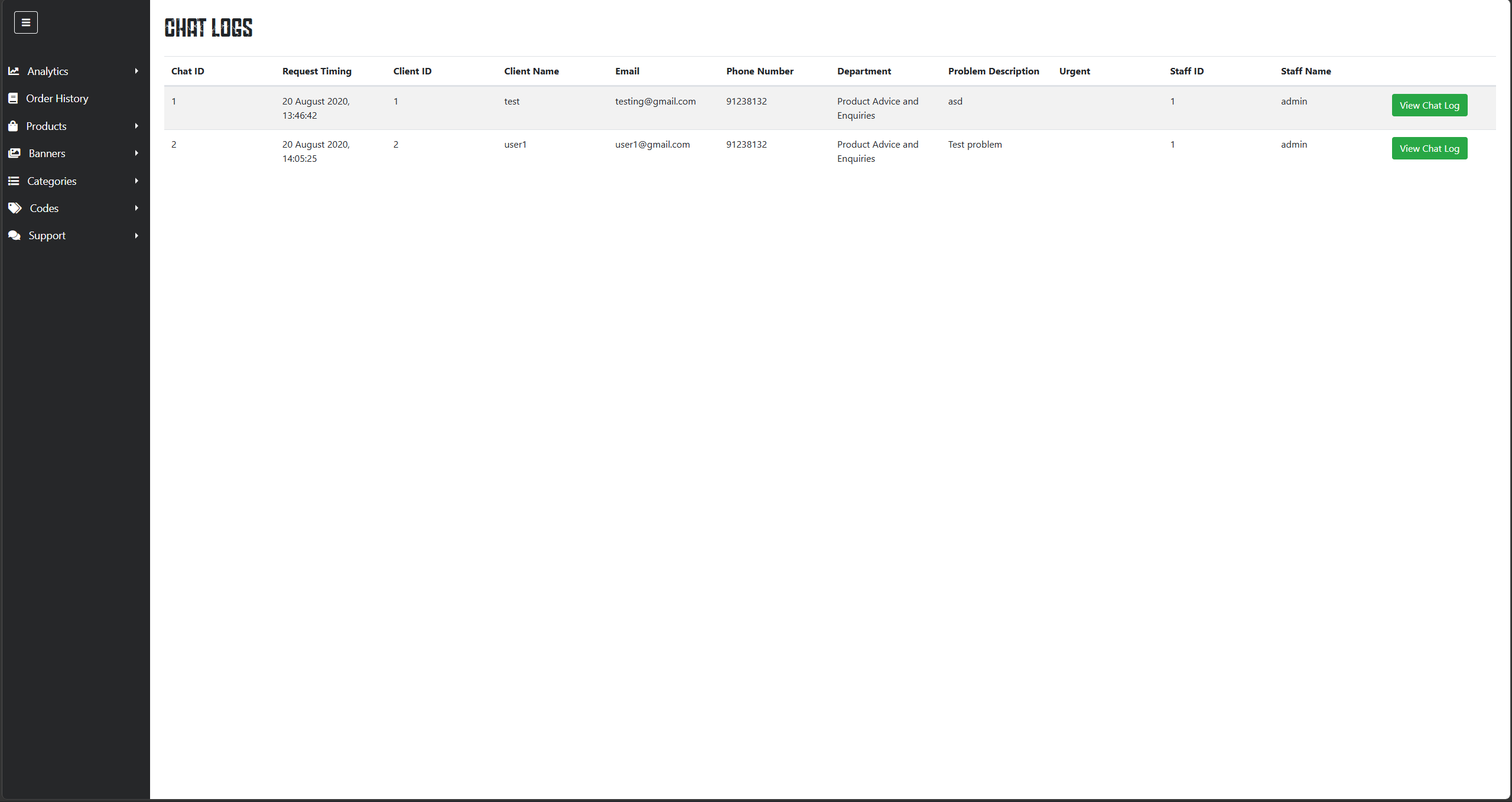
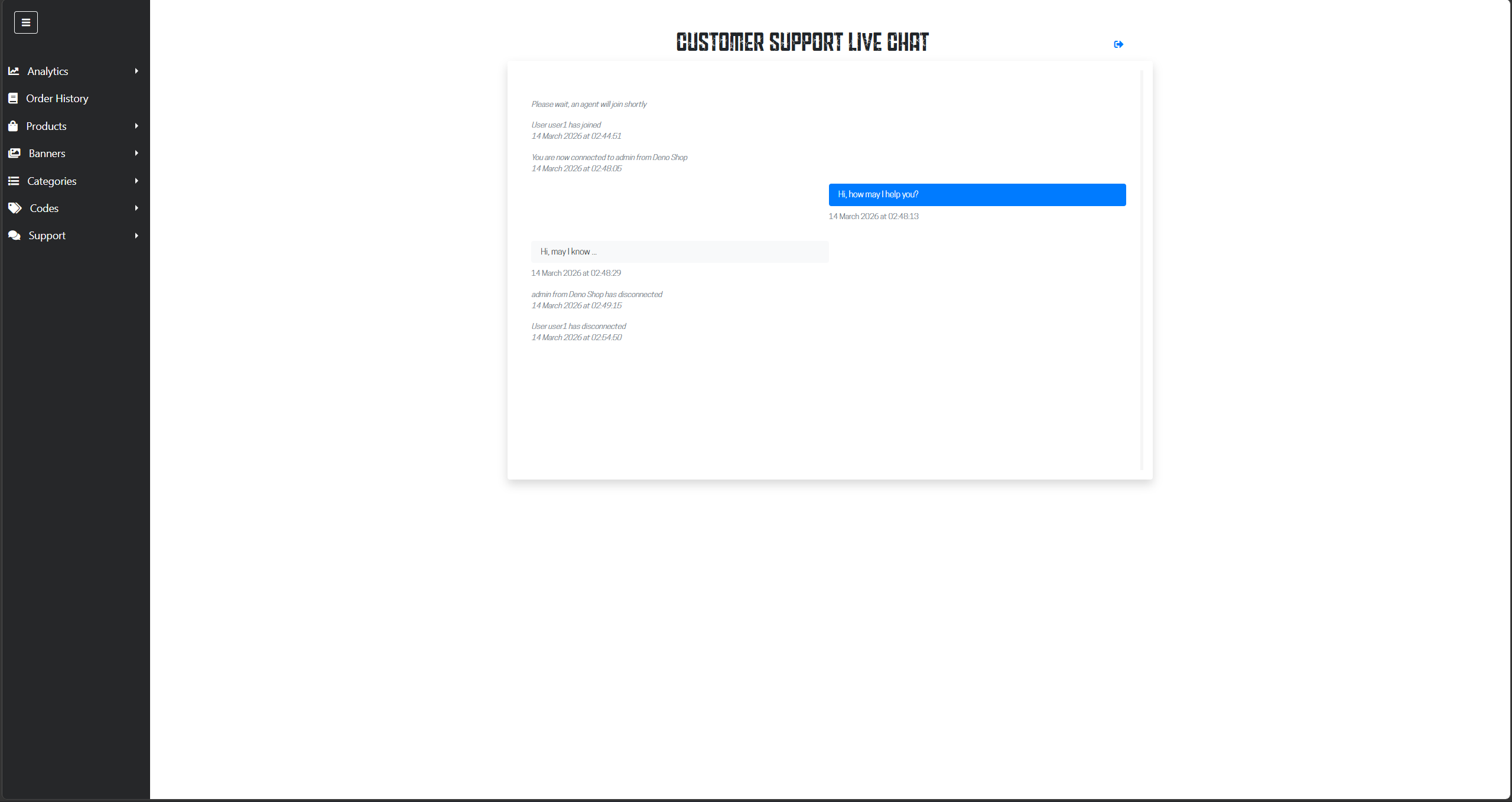
After the chat ends, the chat log is stored and can be viewed by admins.
4) Browser-based video support
For situations where text chat was not enough, the system also supported browser-based video calls. Socket.IO handled request and session coordination plus WebRTC signaling, while WebRTC handled the actual peer-to-peer media connection between customer and staff.
This made video support part of the same broader staff-handled communication flow rather than a completely separate feature.
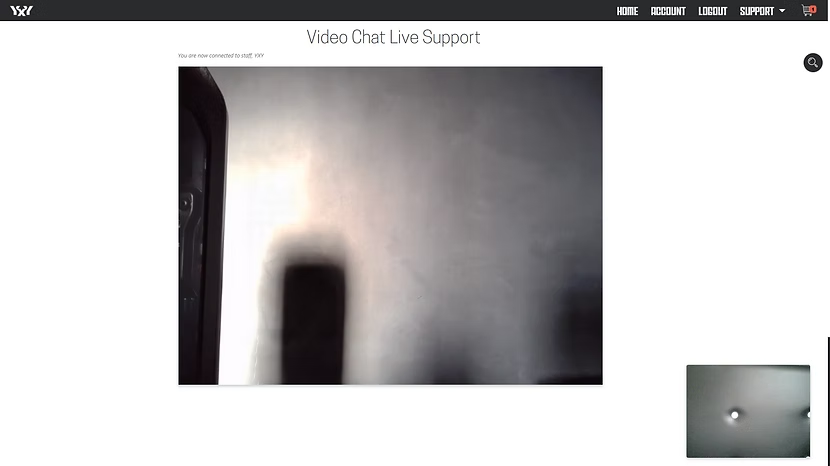
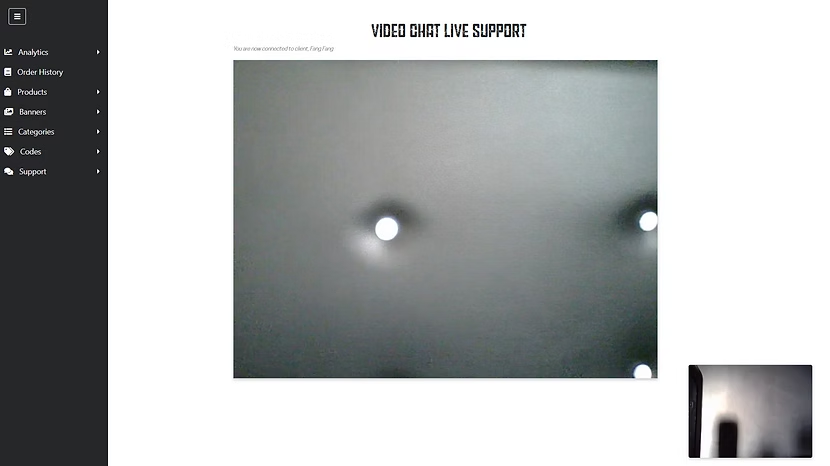
Similarly, the customer starts by sending a video call request with details about the issue.
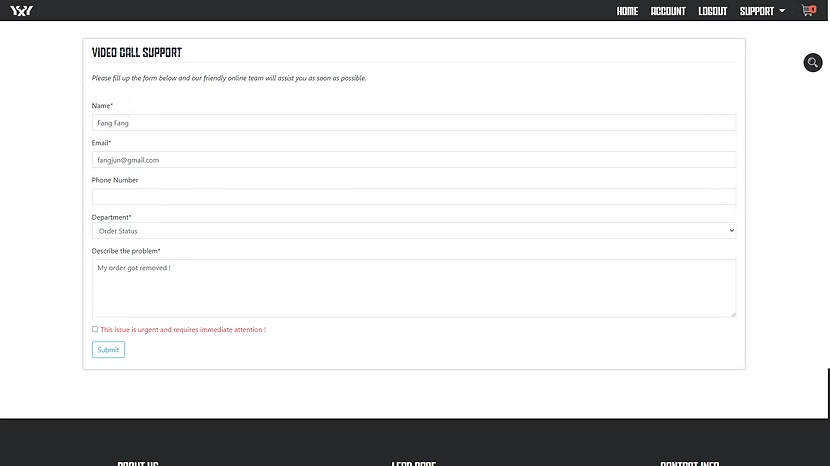
Once the support staff member joins the room, the customer and support staff can start a video call about the issue.
5) Staff-side request handling
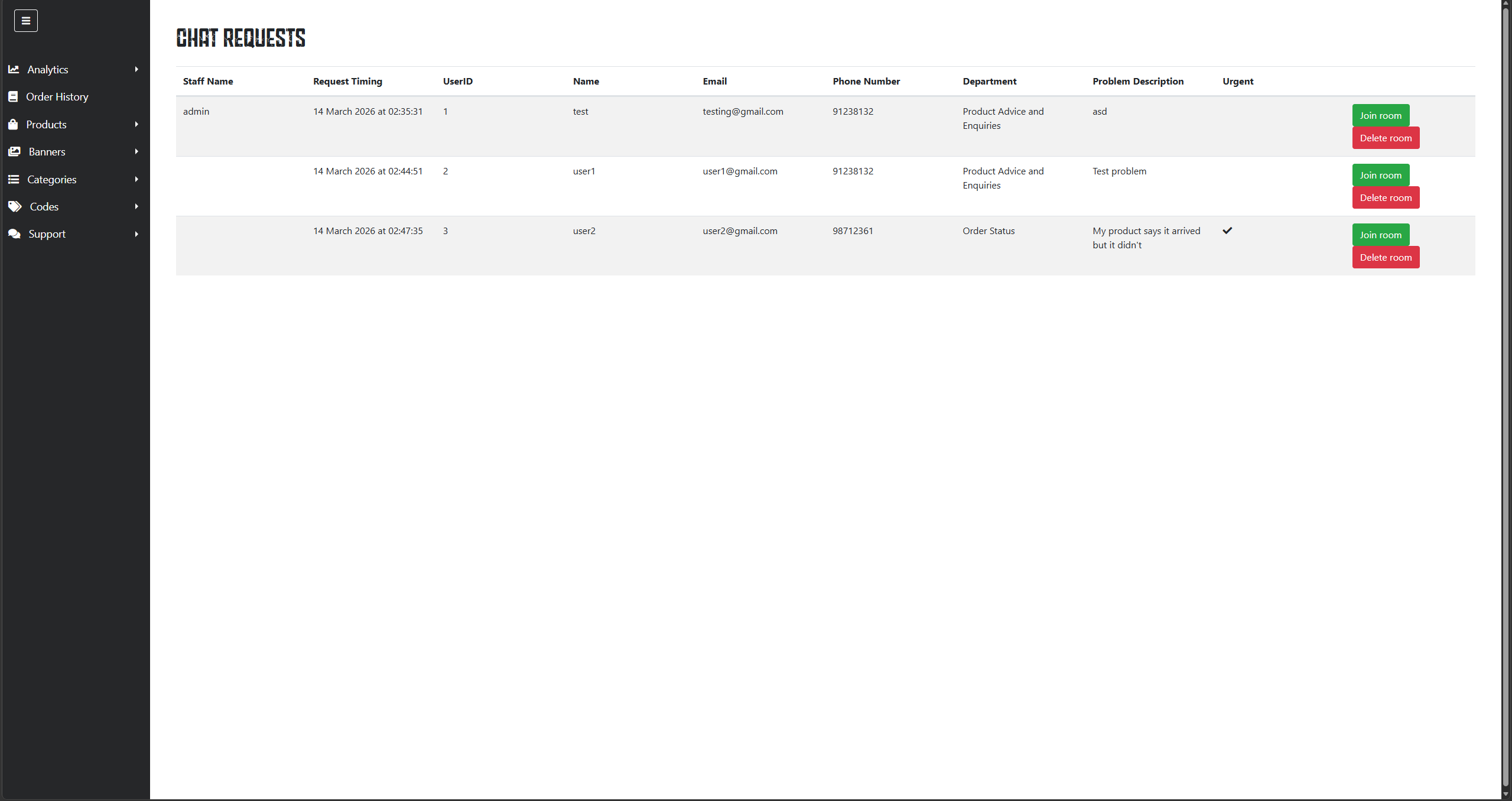
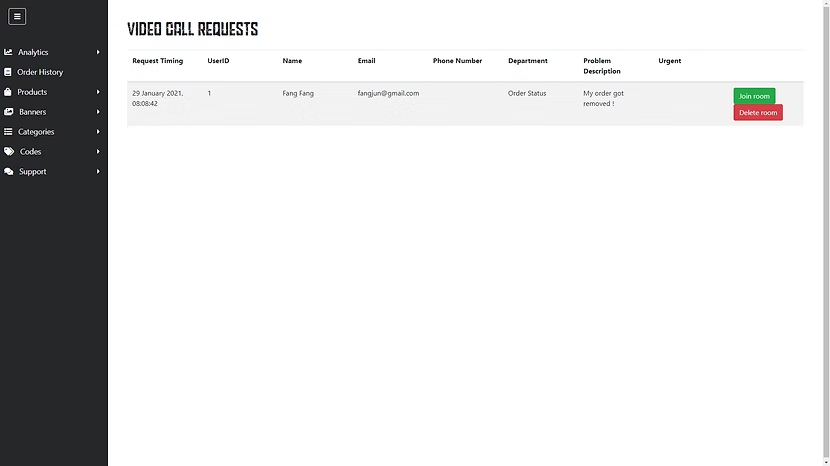
An important part of the implementation was making these requests manageable from the staff side, not just from the customer side. Live chat and video call requests were routed through dedicated real-time services so support staff had a more centralized workflow for seeing incoming requests, joining sessions, and handling customer interactions.
This also made logging, maintenance, and session management easier than embedding all real-time communication directly inside the main e-commerce app.
What I built
- Conversational shopping assistant: Built a Dialogflow-based assistant for structured interactions such as recommendations and cart-related actions.
- Real-time live chat: Implemented Socket.IO-based live chat, including room-based communication between customers and staff.
- Browser-based video support: Implemented WebRTC-based video support, with Socket.IO coordinating signaling and session events.
- Customer-to-staff support flow: Worked on the flow between customer-facing interaction and staff-side handling so live requests could be surfaced and responded to in real time.
- Node.js and Express.js integration: Built these features within a Node.js and Express.js web application environment alongside the broader e-commerce platform.
Key decisions
- Centralize live interaction workflows through dedicated Socket.IO services: I used dedicated real-time services to consolidate live chat and video call requests into a single workflow. This made support interactions easier to maintain, improved session logging, and gave staff a clearer hub for monitoring and responding to incoming requests.
- Use Socket.IO for coordination and WebRTC for live media: Socket.IO handled request routing, room events, and WebRTC signaling, while WebRTC handled the actual browser-to-browser video stream. This kept the implementation aligned with the strengths of each technology.
- Treat conversational interaction as part of the shopping flow: The chatbot was designed less as a support bot and more as a conversational interface for shopping-related actions such as recommendations and cart interactions. While I would approach that UX differently today, it was a useful way to explore conversational product interactions at the time.
- Design for both customer and staff workflows: The work was not only about building customer-facing features, but also about making those interactions visible and manageable from the staff side. That meant thinking about session lifecycle, request handling, and operational usability, not just frontend interaction.
Constraints & limitations
- Outdated stack and implementation style: This project was built several years ago, so the libraries, patterns, and overall structure reflect the ecosystem and practices I was using at the time rather than what I would use today.
- Intent-based chatbot limitations: The chatbot used a Dialogflow-style intent model, which worked for structured shopping actions but was much narrower and more rigid than modern LLM-based conversational systems.
- Historical implementation, not current production standard: While the feature scope is still useful to show, areas such as dependency age, deployment assumptions, and configuration or security handling would need modernization before I would consider it production-ready by today’s standards.
- UI and UX reflect its era: I treat this project primarily as evidence of feature implementation and real-time workflow design, not as an example of my current frontend or product design standards.
Future considerations
- Rework the conversational layer using a more modern assistant design, likely with stronger retrieval or LLM-based interaction instead of purely intent-based flows.
- Improve the support workflow with better monitoring, session state management, and escalation handling.
- Refactor the real-time services to better match modern deployment, reliability, and security expectations.
- Refresh the UI and UX so the communication flows feel more coherent within a modern e-commerce product.